

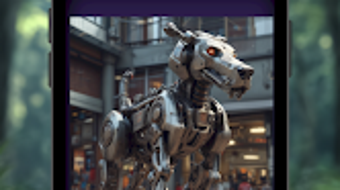
Description
Download PixelMuse AI Art Photo Maker – AI art, AI photo editor, AI image generator, AI fashion designer, AI logo maker, AI avatar creator
Overview
PixelMuse AI Art Photo Maker is a creative desktop application designed to empower users with advanced AI-driven tools for visual content creation. The software enables individuals to generate high-quality images from textual prompts, transforming abstract ideas into vivid visual art. It supports a range of artistic styles, from surreal landscapes to photorealistic portraits, making it suitable for artists, designers, and hobbyists exploring digital creativity. The app also includes functionality for image enhancement through style transfer, allowing users to apply artistic filters such as watercolor, retro, and cyberpunk with minimal effort. Beyond image generation, PixelMuse incorporates tools for designing custom clothing, logos, avatars, and social media graphics, expanding its utility across branding and personal expression. The software is particularly beneficial for users seeking a streamlined workflow for visual ideation and content production. While the developer did not provide additional system requirements, the application is available on Android devices. Its release date is not specified, but the current version is 1.2.3. The app is priced at $4.99, offering a one-time purchase model for access to its full suite of AI-powered features.
Key Features & Capabilities
- AI Text-to-Image Generation: Users can input descriptive text to generate unique, high-resolution images. This feature is ideal for concept visualization, creative brainstorming, and rapid prototyping.
- Image-to-Image Style Transfer: Upload existing photos and apply artistic styles with a single tap. This allows for instant transformation of personal images into works resembling watercolor, retro, or cyberpunk aesthetics.
- AI Outfit Designer: Create custom clothing designs by generating visual concepts based on textual descriptions. This tool supports fashion inspiration and design experimentation.
- Logo and Avatar Creator: Generate professional-looking logos and avatars tailored to branding needs or personal identity on social platforms.
- High-Resolution Downloads & Instant Sharing: All created assets can be exported in high resolution and shared directly to social media or other platforms.
These features collectively support a wide range of creative workflows. For example, a content creator might use the AI image generator to develop visuals for a blog post, then enhance them with a retro style using the style transfer tool. A fashion enthusiast could design a unique outfit concept and export it as a digital sketch. The integration of multiple creative tools within a single application reduces the need for switching between platforms, improving productivity and workflow consistency.
User Interface, Workflow & Performance
The user interface of PixelMuse is designed to be intuitive, with a clean layout that prioritizes accessibility for both beginners and experienced users. Navigation is structured around a central dashboard where users can access different tools—text-to-image, style transfer, outfit design, and graphic creation—through clearly labeled icons and menus. The workflow is streamlined, allowing users to input a prompt, select a style, and generate an image with minimal steps. While specific performance metrics were not provided, the application operates within a standard mobile environment, suggesting efficient processing for typical use cases. The developer did not specify resource usage details, so actual CPU or RAM behavior remains unknown. Stability is assumed based on the app’s release history, though no user-reported issues were mentioned. The software is designed to function without requiring constant internet connectivity, supporting offline operation for core features. Overall, the interface emphasizes speed and ease of use, aligning with modern expectations for creative tools.
Compatibility & System Requirements
PixelMuse AI Art Photo Maker is available for Android devices. The current version is 1.2.3, with a file size of 120 MB. The app is designed to run on mobile platforms, though specific hardware requirements were not listed by the developer. Compatibility information is limited to the Android operating system. The developer did not provide additional system requirements, so users should ensure their device meets general Android standards for app installation and performance. No information was provided regarding support for other operating systems such as Windows or macOS. Installation is straightforward, and the application runs as a standalone mobile app. Users should verify device compatibility through their respective app stores before downloading.
Pros and Cons
Pros
- Intuitive interface suitable for beginners and experienced creators alike
- Multiple AI-powered tools in a single application (image generation, style transfer, fashion design, logo creation)
- Supports high-resolution exports and direct sharing to social platforms
- One-time purchase model at $4.99, offering full access without subscriptions
- Offline functionality for core features, reducing dependency on internet connectivity
Cons
- No information provided about system requirements or performance optimization
- Available only on Android, limiting accessibility for desktop users
- Limited details on AI model capabilities or training data sources
- Release date and update frequency are not disclosed
- No support for cross-platform synchronization or cloud storage integration
FAQ Section
Is PixelMuse AI Art Photo Maker available for Windows or Mac?
The software is currently available only on Android devices. No versions for Windows or macOS were provided by the developer.
Is the app secure to use?
As a mobile application distributed through official Android channels, PixelMuse is expected to comply with standard security protocols. However, no specific security details were shared by the developer.
Does the app require a subscription?
No, PixelMuse operates on a one-time purchase model. The price is $4.99, and no recurring fees are required for continued access.
Can I use the app offline?
Yes, the core features of PixelMuse, including image generation and style transfer, can be used without an internet connection.
How often are updates released?
The update schedule and release frequency are not specified. The current version is 1.2.3, but no information was provided about future updates or maintenance.
Final Thoughts
PixelMuse AI Art Photo Maker delivers a compelling package for users seeking a multifunctional AI creative tool on Android. Its integration of text-to-image generation, style transfer, fashion design, and graphic creation within a single interface offers a unique value proposition. The one-time purchase model enhances accessibility, while the ability to work offline ensures uninterrupted creativity. Although the lack of system requirements and cross-platform availability may limit some users, the app remains a strong contender in the AI art space for mobile creators. For artists, content producers, and fashion enthusiasts looking to explore visual ideas quickly and efficiently, PixelMuse provides a capable and user-friendly solution. The combination of diverse tools, intuitive design, and affordable pricing makes it a standout option in its category.
Download PixelMuse AI Art Photo Maker now
Guides & Tutorials for PixelMuse AI Art Photo Maker
How to install PixelMuse AI Art Photo Maker
- Click the Preview / Download button above.
- Once redirected, accept the terms and click Install.
- Wait for the PixelMuse AI Art Photo Maker download to finish on your device.
How to use PixelMuse AI Art Photo Maker
This software is primarily used for its core features described above. Open the app after installation to explore its capabilities.
User Reviews for PixelMuse AI Art Photo Maker 0
No reviews found





